更新時間:2025/11/28
作者:Victor Li
功能說明:本文將會說明AhnLab V3 Net for Linux Server獨立安裝操作方式。
※ 全程操作請使用root權限。
1. 將安裝包v3net-linux-x.x.xx.x.xxxx.tar.Z(x.x.xx.x.xxxx為版本號)解壓縮後,上傳至
待安裝的機台上(例如用WinSCP上傳)。
2. 切換(cd)至v3net-linux-x.x.xx.x.xxxx安裝包所在目錄並對其執行指令chmod -R 777 v3net-linux-x.x.xx.x.xxxx。

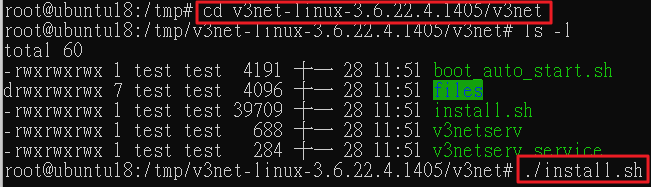
3. 切換(cd)至v3net-linux-x.x.xx.x.xxxx安裝包裡的v3net目錄下並執行指令./install.sh。
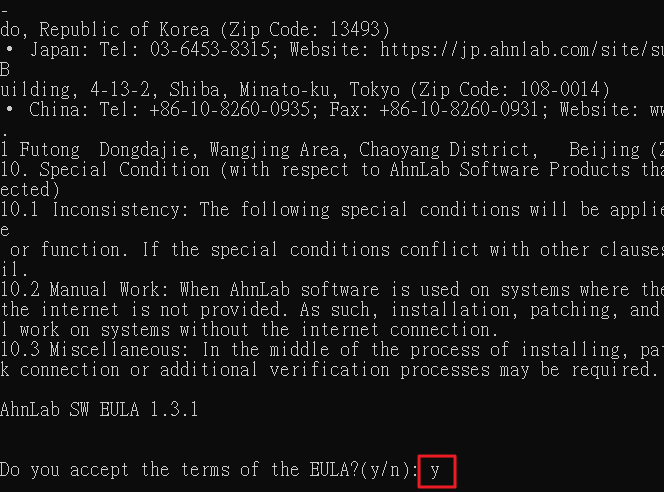
4. 請按ENTER鍵直到顯示Do you accept the terms of the EULA?( y/n ):請輸入y。
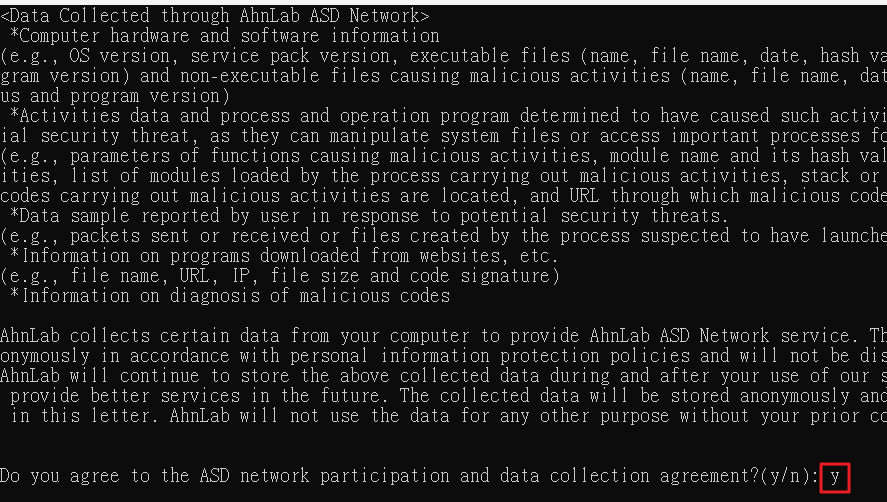
5. 請按ENTER鍵直到顯示Do you agree to the ASD network participation and
data collection agreement?( y/n ):請輸入y。
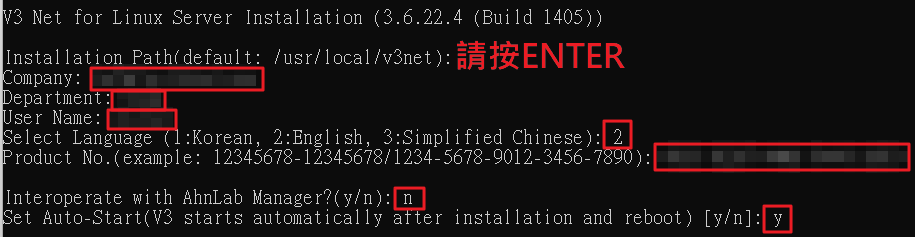
6. 依序設定以下欄位。
Installation Path (default:/usr/local/v3net):請按ENTER
Company:自訂
Department:自訂
User Name:自訂
Select Language (1:Korean, 2:English, 3:Simplified Chinese):請輸入2
Product No. (example: 12345678-12345678/1234-5678-9012-3456-7890):請參閱授權書
Interoperate with AhnLab Manager?(y/n):請輸入n
Set Auto-Start (V3 starts automatically after installation and reboot) [y/n]:請輸入y
7. 設定確認無誤後,請輸入y。

8. 安裝成功的畫面。
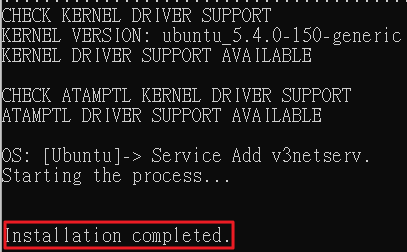
9. 切換(cd)至目錄 /usr/local/v3net 並執行指令./v3net.sh status,確認服務是否有正常運作(紅框部分)。

10. (補充移除方式)切換(cd)至目錄 /usr/local/v3net 執行以下指令./uninstall.sh。
