更新時間:2025/12/04
作者:Victor Li
功能說明:本文將會說明如何開啟AhnLab V3 Net for Linux Server的Web Console管理介面。
※ 全程操作請使用root權限。
1. 切換(cd)至目錄 /usr/local/ahnlab/v3net/bin/ 並執行指令./v3cli。

2. 開啟Web Console管理介面,輸入指令settings general set webuse 1 webport [port] webdataport [port] 。
※ 原廠建議webport設定為8888,webdataport設定為50052。

3. 輸入指令settings general show,確認欄位設定值。


4. 輸入指令action update start,執行更新。
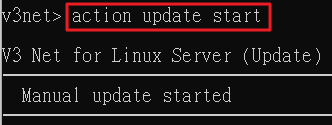
5. 退出V3 CLI(輸入q)並切換(cd)至目錄 /usr/local/v3net/ 執行指令./v3net.sh status,確認caddy的State要顯示為Running。

6. 在瀏覽器上輸入https://<端點IP Address>:<webport的port>,進入管理介面同意End User License Agreement後點擊Next。
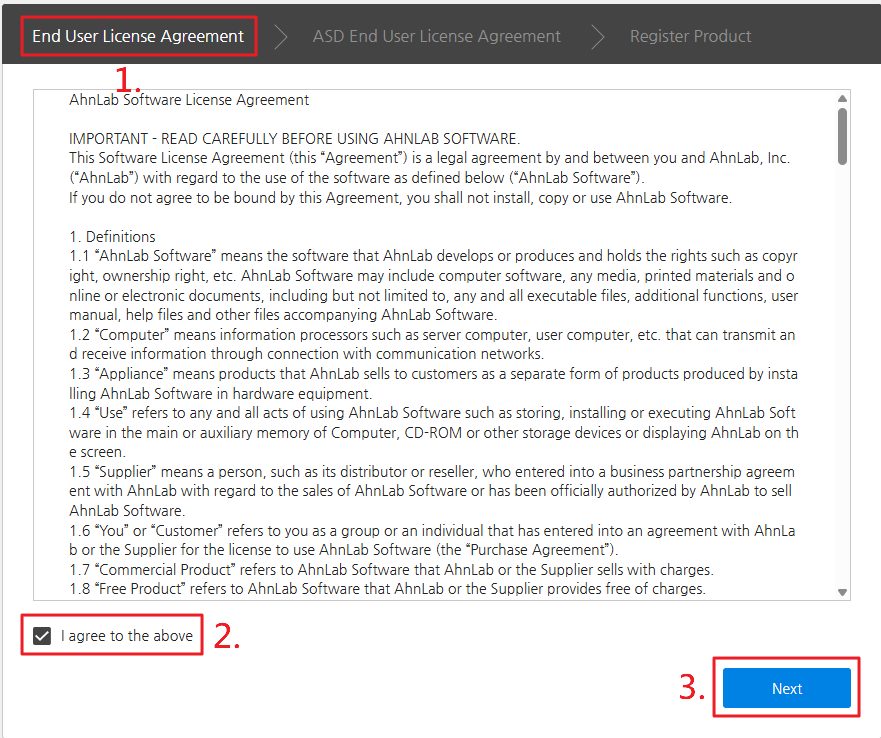
7. 在ASD End User License Agreement頁面上勾選Consent on connecting to AhnLab Smart Defense and collecting data後點擊Complete。
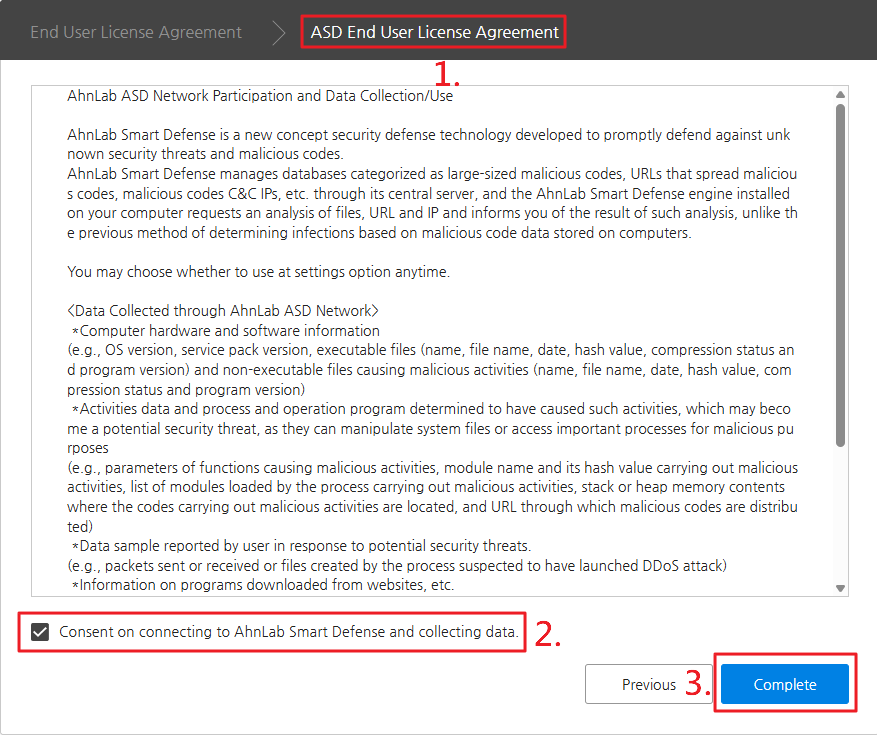
8. 畫面將會轉至登入畫面,請輸入原廠預設的帳戶及密碼v3net/qwert12345。
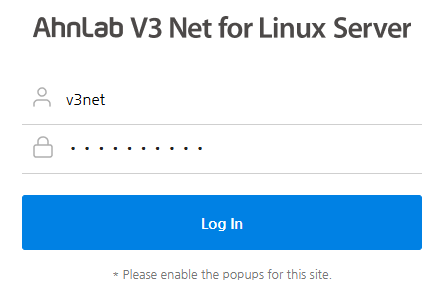
9. 系統會要求重置帳戶及密碼。

10. 帳戶及密碼重置完成後,即可登入Web Console管理介面。
