本文適用於以下產品:AhnLab V3 Internet Security、V3 Net for Windows Server
更新時間:2026/03/31
作者:Victor Li
功能說明:本文將會說明如何在網路隔離的環境下手動更新AhnLab V3病毒碼。
1. 開啟並登入AhnLab MyCompany(https://mycompany.ahnlab.com)。

2. 登入後點選左邊選單的Download > Engine File >All V3 Products,下載V3病毒碼更新包。

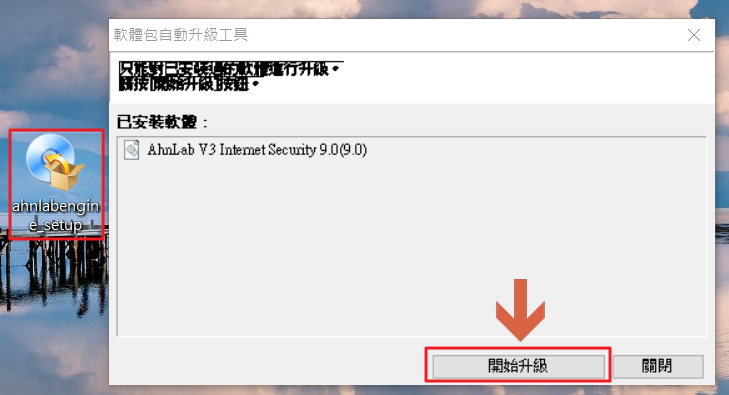
3. 將V3病毒碼更新包上傳至待更新的裝置後,執行並點擊開始升級。
4. 完成更新後,開啟V3的UI介面,確認引擎版本是否有變更。
