本文適用於以下產品:AhnLab V3 Internet Security、V3 Net for Windows Server
更新時間:2026/03/31
作者:Victor Li
功能說明:本文將會說明如何在網路隔離的環境下啟用AhnLab V3 Internet Security產品授權。
1. 端點上點選開始 > AhnLab V3 Internet Security 9.0>Offline Authentication。

2. 在Offline Authentication的STEP 1項目點擊Register Product Number並輸入授權代碼後,點擊OK。

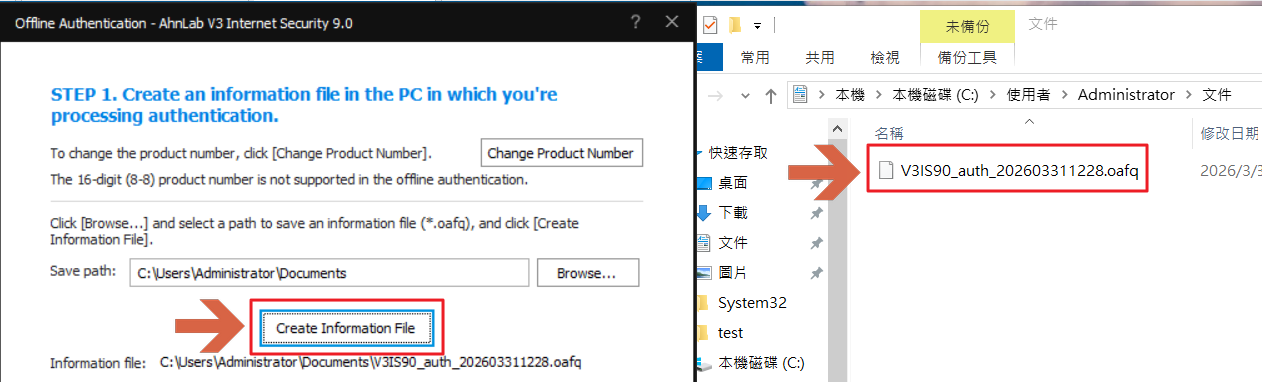
3. 在Offline Authentication 的STEP 1項目點擊Create Information File並產出V3的oafq檔。
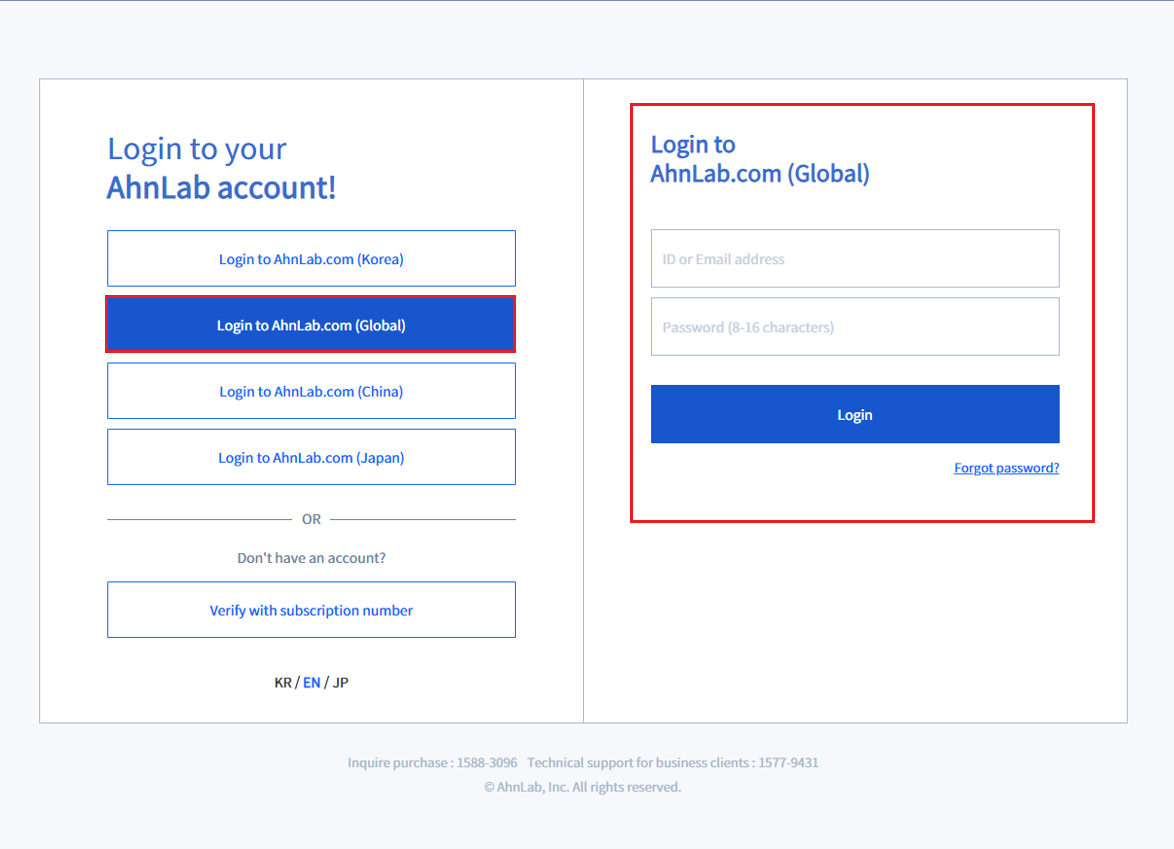
4. 開啟並登入AhnLab MyCompany(https://mycompany.ahnlab.com)。
5. 點選License > Offline authentication>Upload license information file,點擊Start offline authentication。

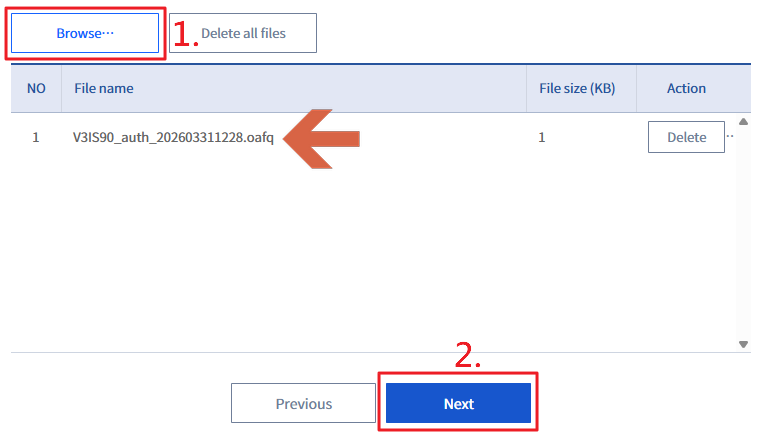
6. 點擊Browse,上傳V3的oafq檔後點擊Next。
7. 上傳成功後,點擊Download all authentication files,下載V3的oafp檔。

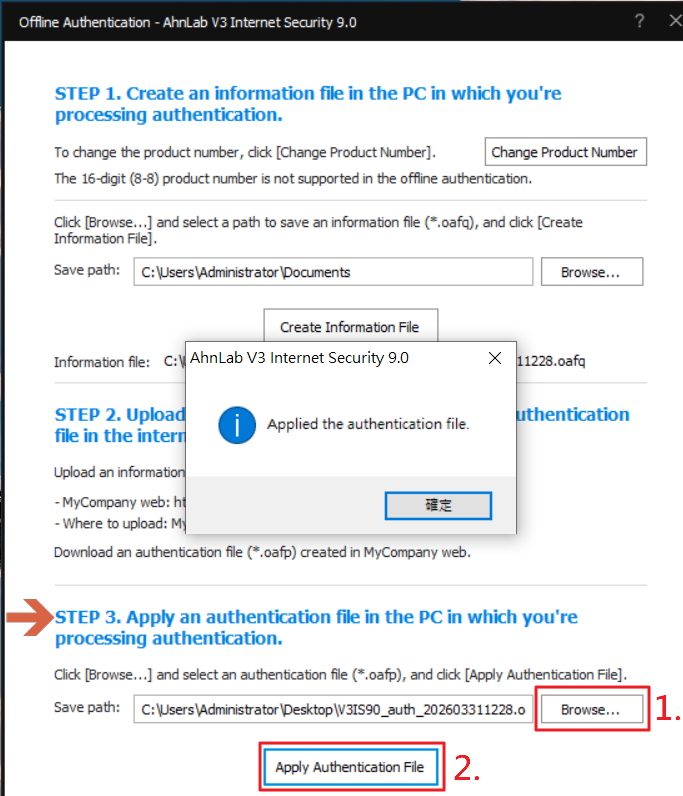
8. 將V3的oafp檔上傳至該端點上並在Offline Authentication 的STEP3欄位點選Browse,選擇oafp檔後點選Apply Authentication File,完成離線啟用授權。