本文適用於以下產品:AhnLab Endpoint Protection Suite (EPS)
更新時間:2026/01/29
作者:Ray Yao
功能說明:此KB說明如何在伺服器離線環境更新Xcanner引擎。
1. 開啟並登入AhnLab MyCompany(https://mycompany.ahnlab.com)。

2. 登入後點選左邊選單的Download > Installation File > AhnLab Xcanner_EPS Manual upload file,下載該檔案。
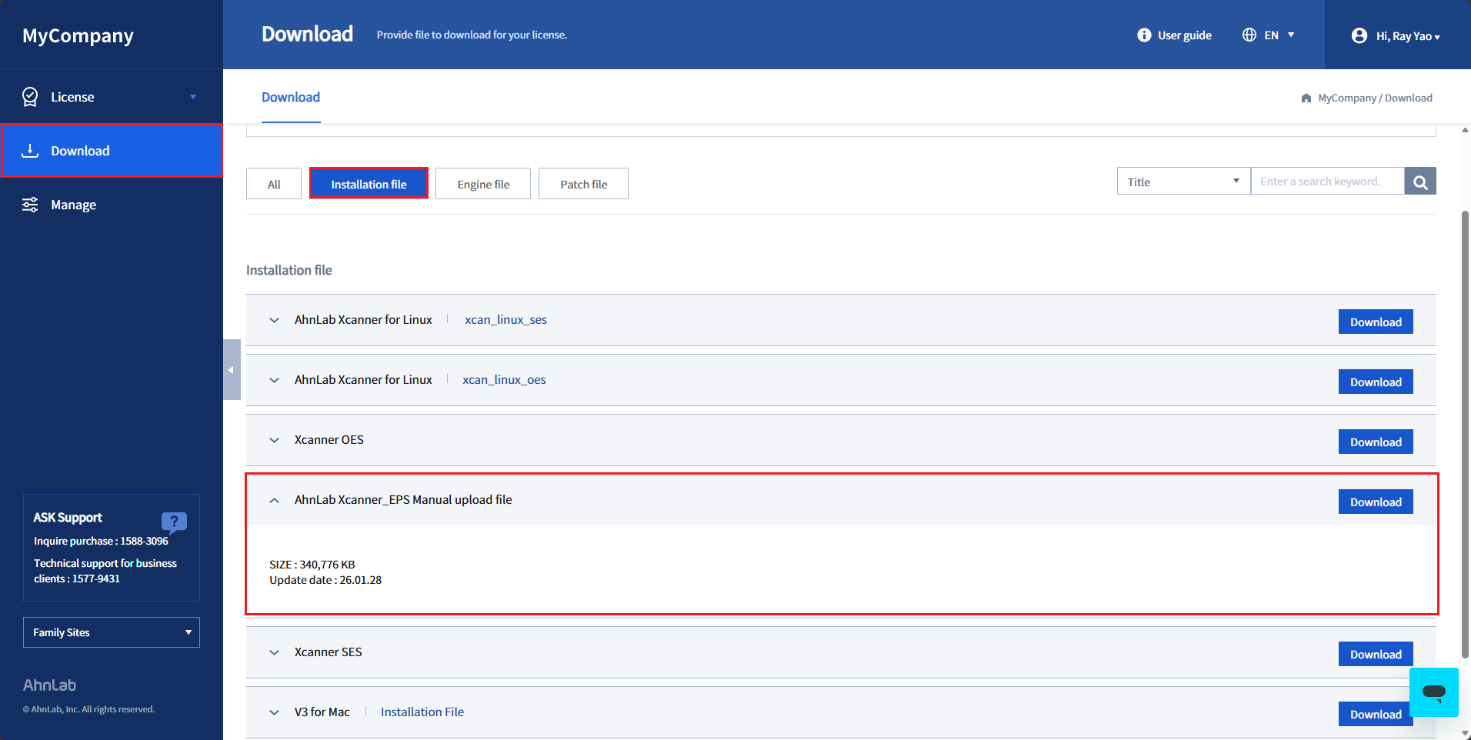
3. 登入EPS管理介面(https://<EPS伺服器IP>:8888),點選設定 > 系統 > 更新,將更新伺服器更改為管理伺服器。

4. 點選上傳Xcanner執行檔案欄位的選擇檔案,上傳剛下載的引擎更新檔案,先點儲存,再點選上方的Xcanner引擎更新,等待更新完成即可。
5. 開啟EPS下載頁面(http://<EPS伺服器IP>:8001)即可確認Xcanner版本。