本文適用於以下產品:Acronis Cyber Protect (ACP) 16 / Acronis Cyber Backup
功能說明:
本文說明: Acronis All-in-One-Appliance-9090 (無法登入的解決方式)。
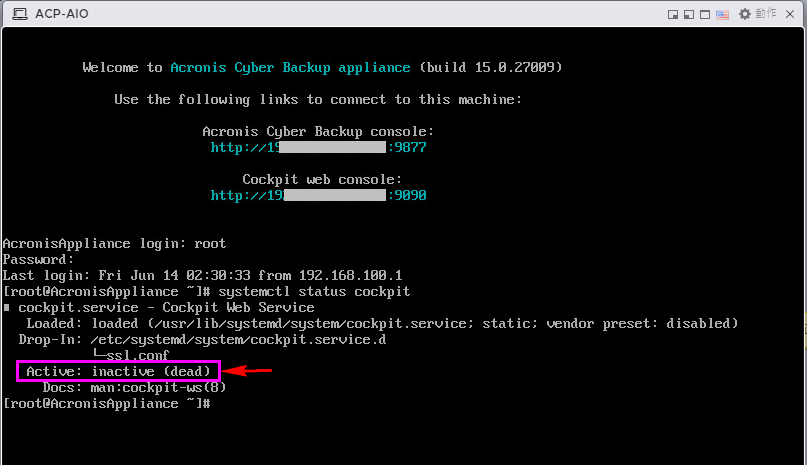
1.請確認 cockpit services 是否正常啟動。
本範例為 inactive (dead)。
2.請使用 Putty 連線進入 All-in-one Appliance
請輸入# systemctl enable cockpit.socket
完畢請重新開機.
3.請執行 systemctl list-unit-files | grep cockpit 查看服務狀況.

4.請確認 cockpit services 是否正常啟動。

5.請確認 cockpit.socket 服務是否正常啟動。

6.若以上服務都正常請在開啟瀏覽器執行 https://ams_ip:9090 登入。
7.如果上述依舊無解, 請參考下面文章將 IPv6 關閉即可.